Enterprise 5G Benefits
IOT & Connectivity
Software Engineering
Enterprise Verticals
Blogs

This pack is for software companies, Enterprise & MNO IT staff with limited experience in the field of eXtended Realities (XR). Utilizing industry experts, we have created a clear set of guidelines for software companies to develop and explore XR based applications.
We have structured this pack to enable the reader to Define their problem; Choose the appropriate technology and ultimately to provide the initial handholds to start their own XR journey.
XR Devices will continue to evolve as the 5G technology transitions over time from the Non-Standalone (NSA) to Standalone (SA) core, becoming progressively more lightweight and energy-efficient. XR Software Applications will also continue to become significantly more sophisticated in tandem with these 5G technological developments.
Companies and examples listed in this pack are not endorsed by Digital Nasional Berhad but they do represent industry standards and power brands. Treat them as an excellent starting point for further discussion and exploration of your chosen use-case(s).

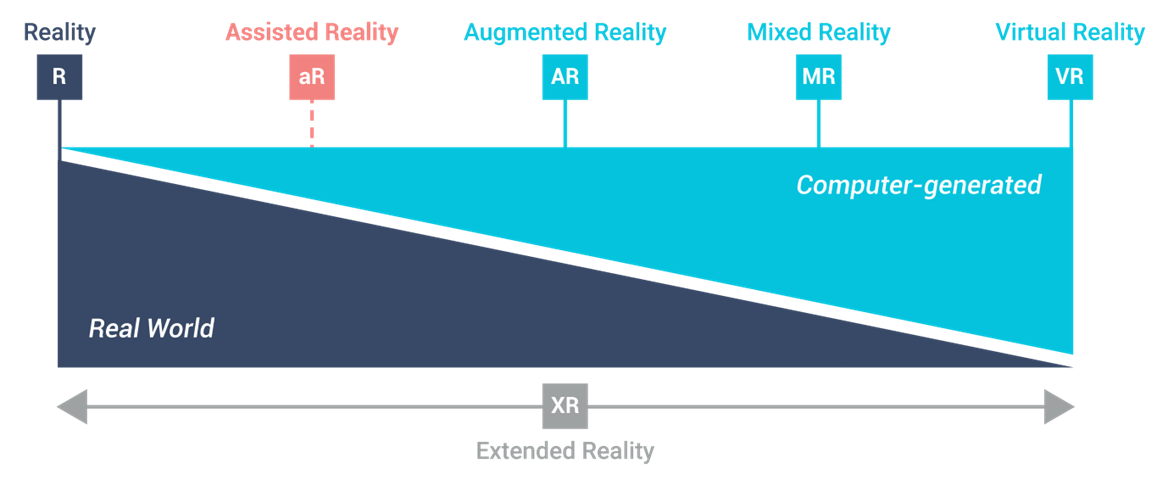

Assisted Reality
Gives users access to relevant information in their immediate field of view (FoV). Generally uses standard LCD / LED screens.
Augmented (Mixed Reality)
Uses computer-generated, digital content to create an interactive experience within real-world environments. Generally uses Wave-guide displays.
Virtual Reality
Uses computer-generated, digital content to create an interactive experience replacing real-world environments Available as stand-alone devices or PC connected.
Future – Synthetized Reality
Uses high resolution RGB cameras to merge AR and VR into a single form factor allowing users to chose consumption mode. Expected availability 2023-2025
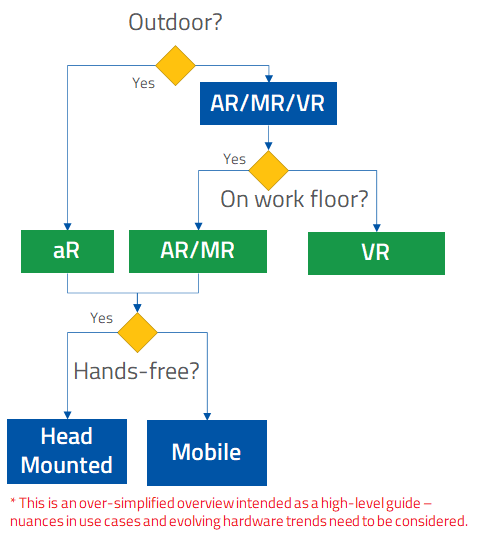
Manage content centrally; Traditional MDM (mobile device management) struggles to manage XR equipment. XR platforms are functioning as a central repository that allows content to be shared across devices and users in a seamless experience.
Multi-player; XR hosting platforms offer ready-made source code that can be used during content creation. This automatically allows multiple devices, with multiple people, in the same experience.
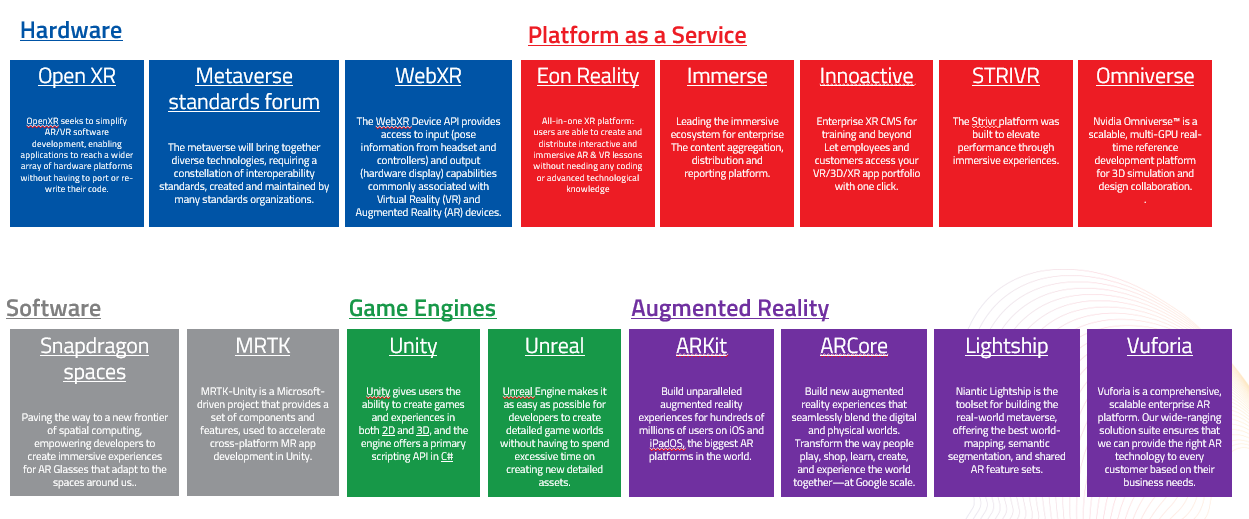
Scalability is a key influencing factor when selecting technologies. If you are targeting >10.000 users, you might want to chose existing technologies such as phones or tablets instead of head mounted devices.
Web remains the great equaliser! There are many industry standards ARKit, ARCore, WebXR, etc. allow for in-browser XR experiences greatly reducing user / device friction.
Don’t build for a specific hardware! Hardware evolves at a yearly cycle. Build content agnostically unless requiring specific device feature (e.g. extreme high fidelity)
When you try to build a lot of content or features at the same time you will exponentially make it more difficult for change and deployment management. Start with a minimal viable product that is reduced in scope.
Without the actual end users involved at the start of a project you will design a beautiful product that will not get adopted.
The more realistic the environment or object looks – the more users will notice the differences. Avoid unnecessary costs and abstract visualisation where applicable.
Every company has an IT eco-system that your solution is part of. It is more important to understand what is already available and integrate than to replace everything.
Hire In-House Resources
Advantages:
Cons
Work with External Companies
Advantages:
Cons
Ultimately, a Compromise is the Preferred Approach.
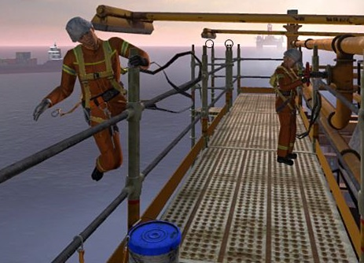
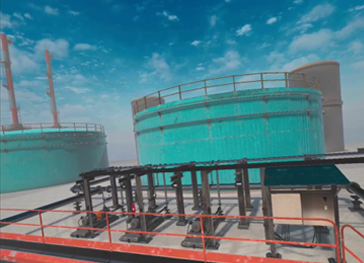
Spatial Memory
Simulating modes of operation and abnormal situations to build cognitive muscle memory and improve instinctive responses.
Unlimited Re-Do's
Constructing “live” simulations that produce and deliver the experience to workers without the actual consequences, allowing them to master tasks through repetition.
High Stakes, Less Risk
Test scenarios in a “sandbox” to build fit for purpose mitigation plans, reducing risk and allowing our workforce to fail safe if an unfortunate incident occurs.
Value Drivers
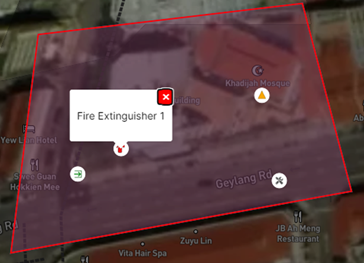
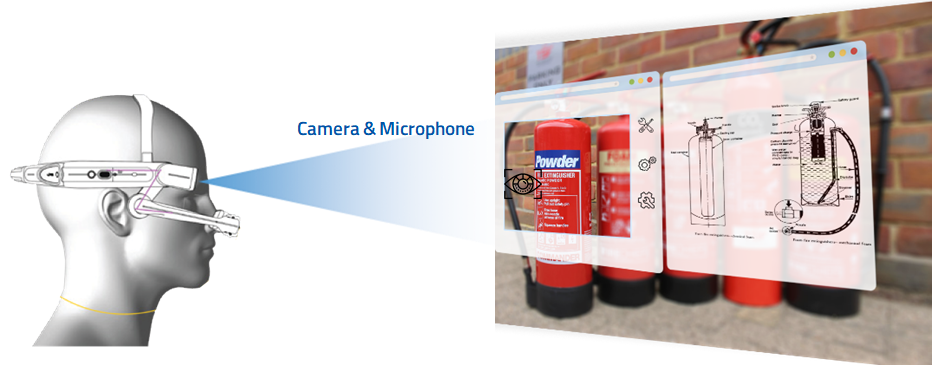
Situational Awareness
Know where your workers are and the tasks they are performing; to improve performance and create a safer environment.
Computer Vision
Automatically detect anomalies and notify relevant systems for further investigation and action.
Automation
Unburden frontline worker processes, workflows and repetitive tasks are automatically completed allowing for higher productivity.
Value Drivers

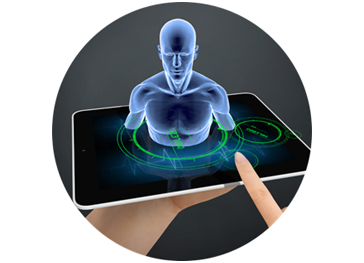
Value Drivers